1. By clicking your profile you can change if you want to receive any regulation change information from the "I want to receive email about regulatory changes" checkbox.
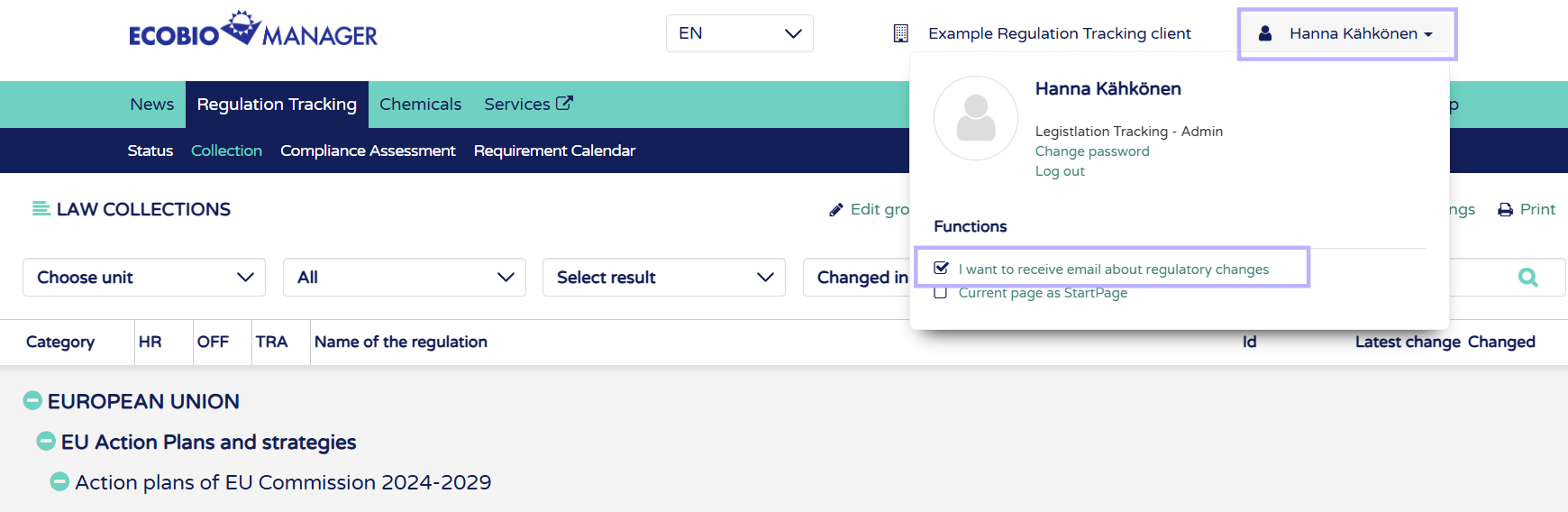
This is activated for all new users created by Ecobio Manager support, but you can uncheck the box from your profice to disable the notification emals.
2. To only receive emails about regulations in your own unit, contact support@ecobiomanager.com to make this change to your profile. You can only connect 1 unit to your profile.
3. To choose which regulations you want to receive emails from, activate the favorites feature by contacting support@ecobiomanager.com.
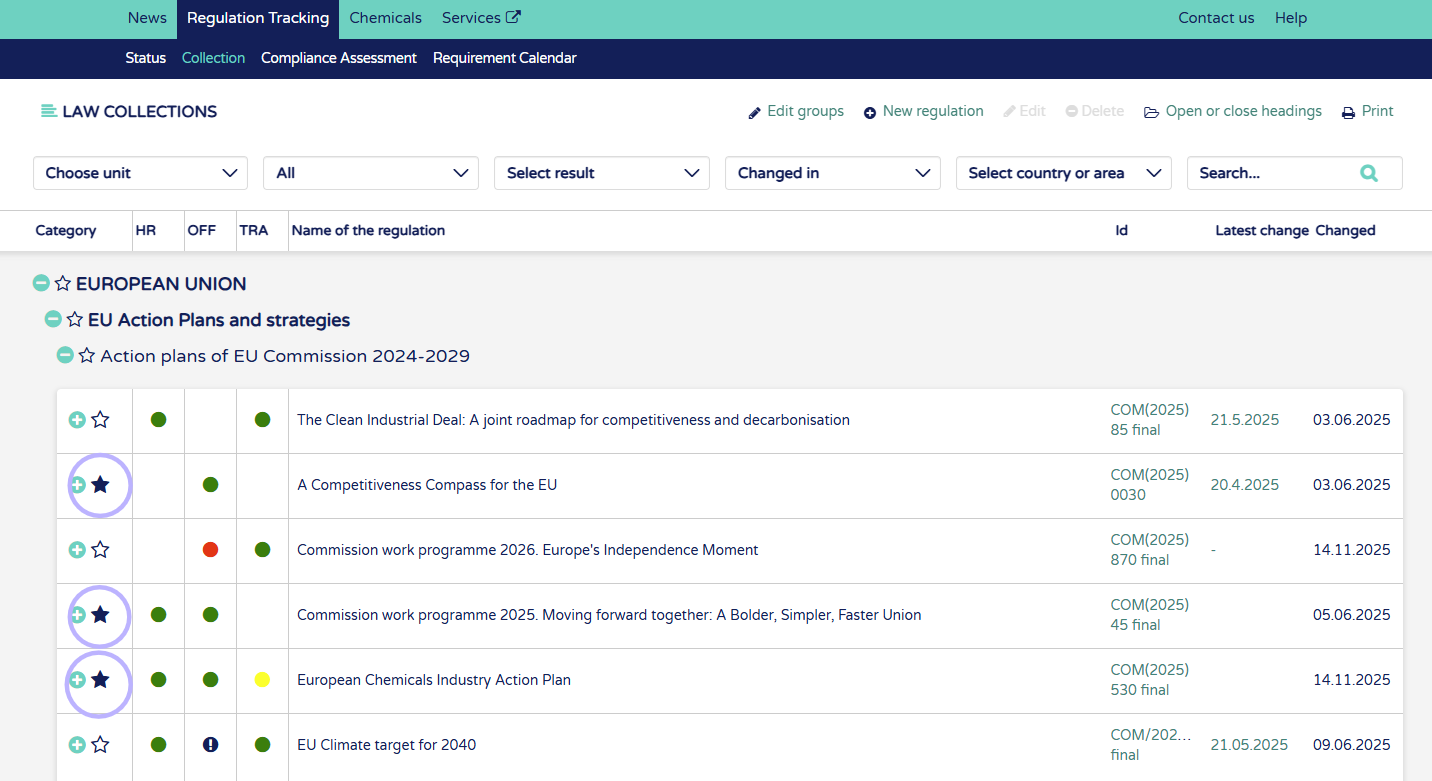
With the favorites feature you can either choose regulations as your favorites by clicking the star beside the name:
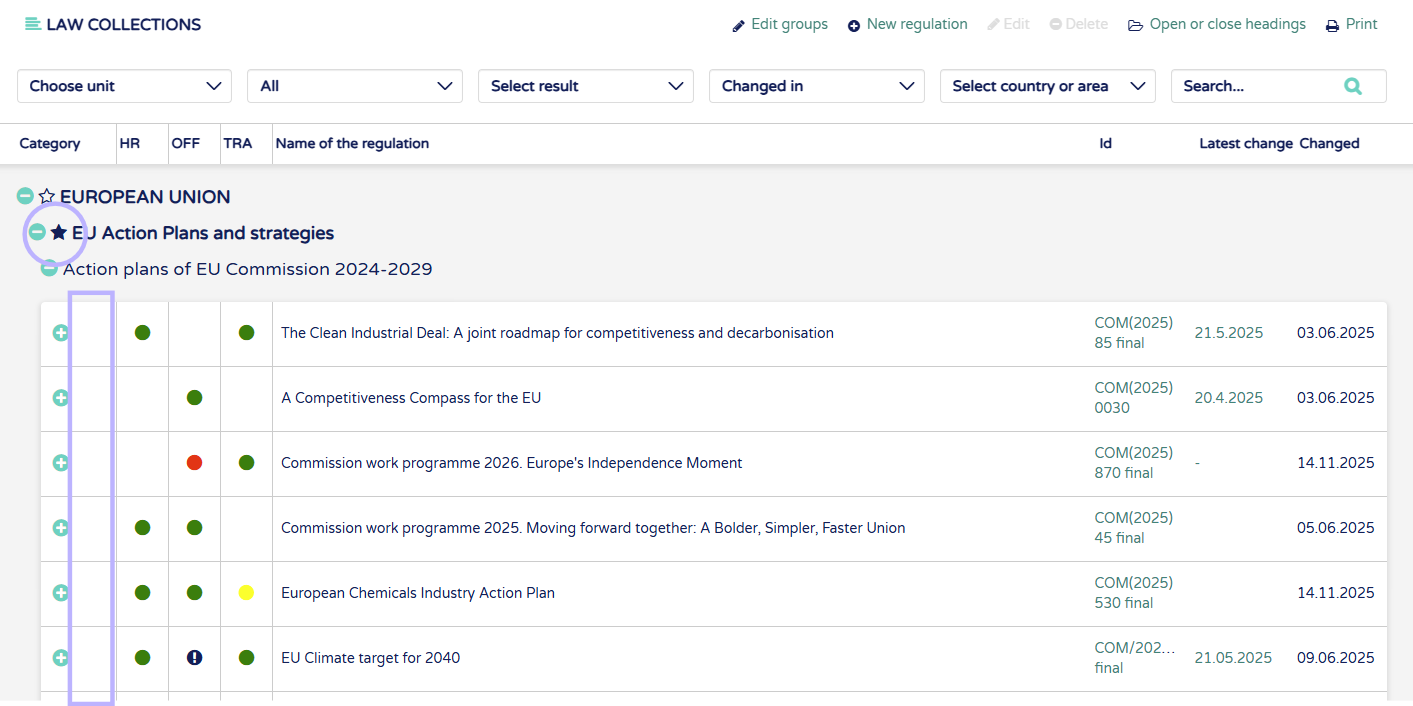
Or you can choose full titles/subtitles as your favorites which adds all the regulations below the title to your favorites
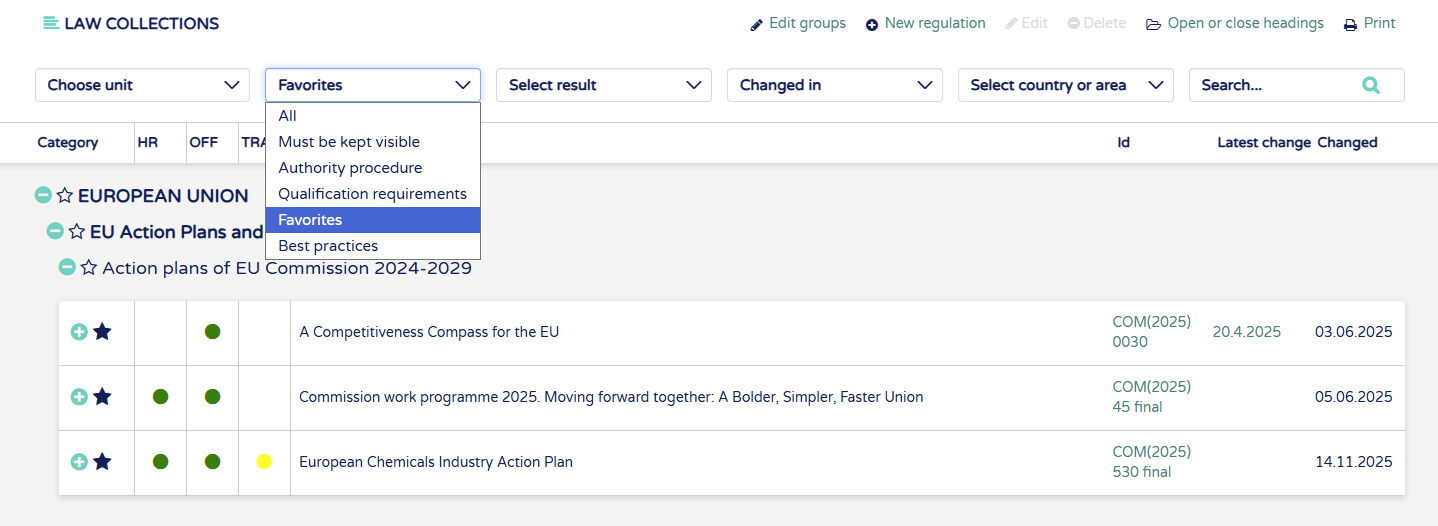
Find your favorites from the "All" dropdown.