Add Trade Names From Ecobio Managers List
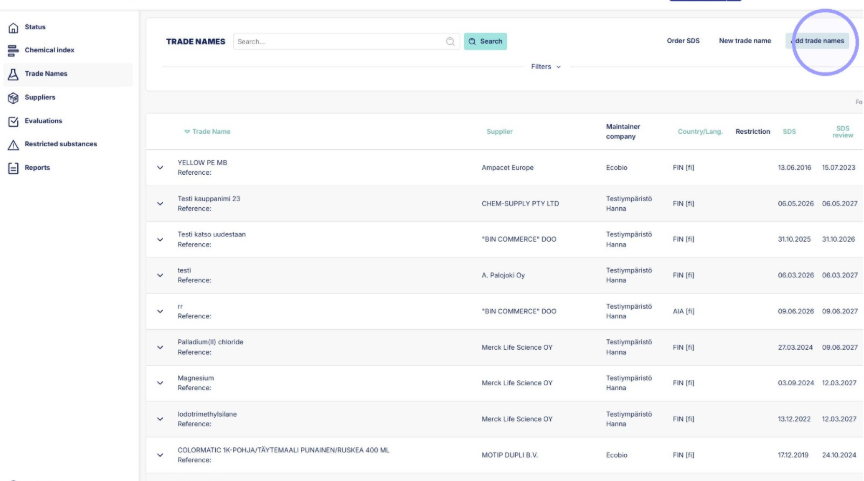
1. From "Trade names" start by clicking "Add trade names". This opens a list of trade names upkept by Ecobio Manager.
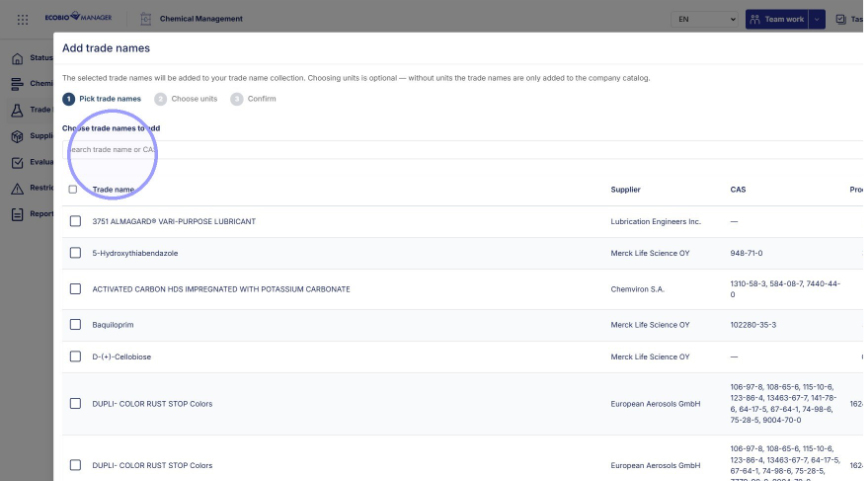
2. From the list you can search by typing either the name of the trade name or CAS number here. Type full words to the field to search effectively.
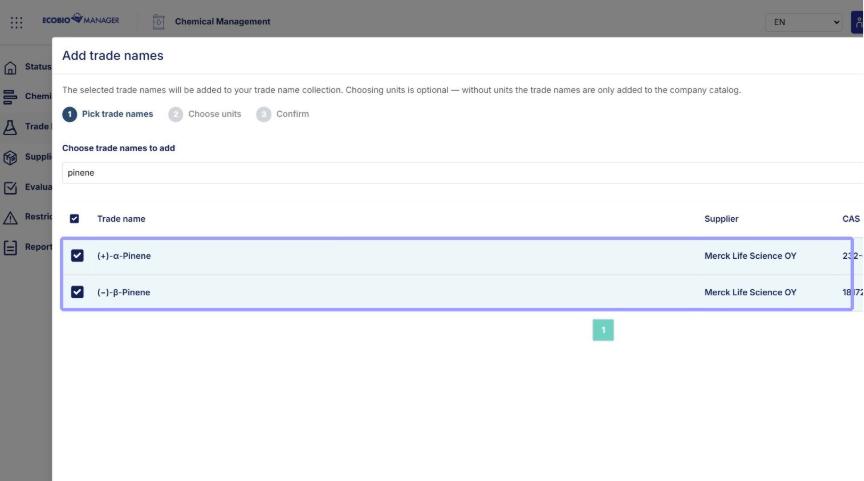
3. Select the trade names you want to add and click continue.
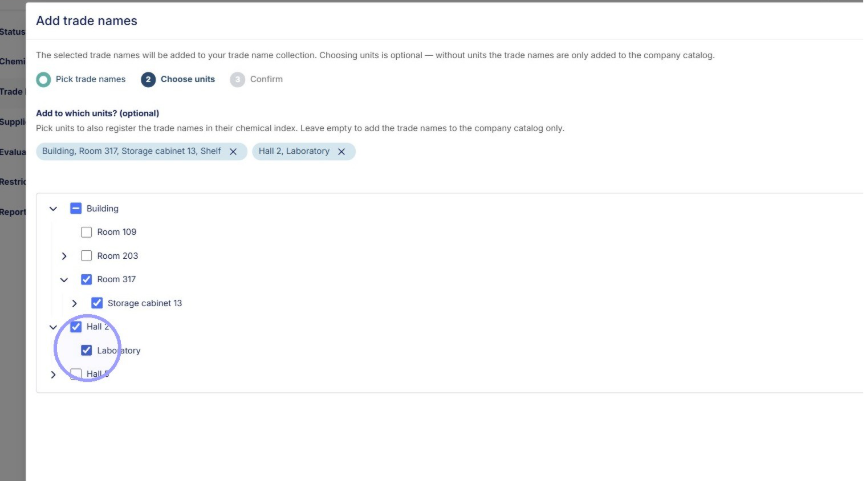
4. From the next window choose which units you want to add the trade names to. Added trade names will be found in both Trade Names and Chemical Index in the chosen units. Click continue after choosing units.
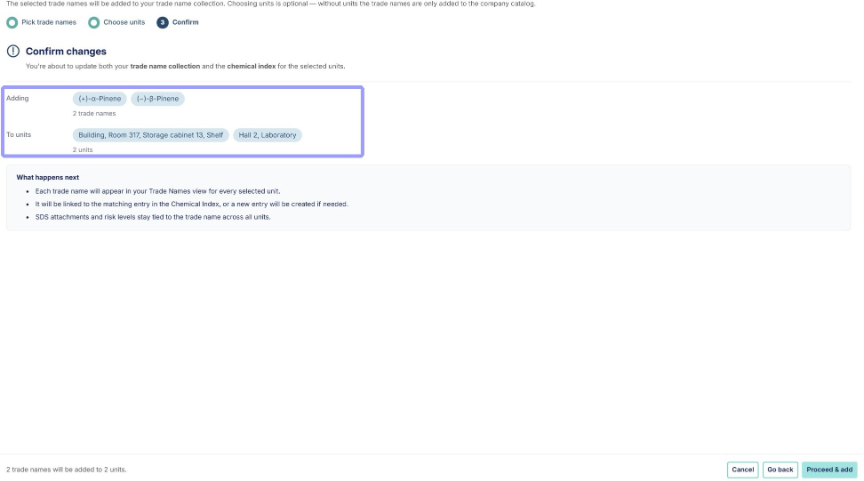
5. Confirm trade names and units, then click Proceed and add. Trade names are now added.
Order new Trade names from Ecobio, if they are not found in Ecobio Managers collection.
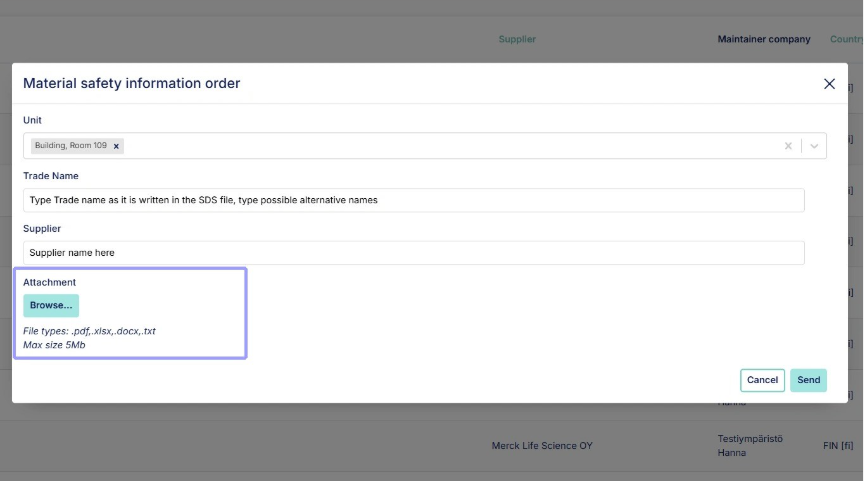
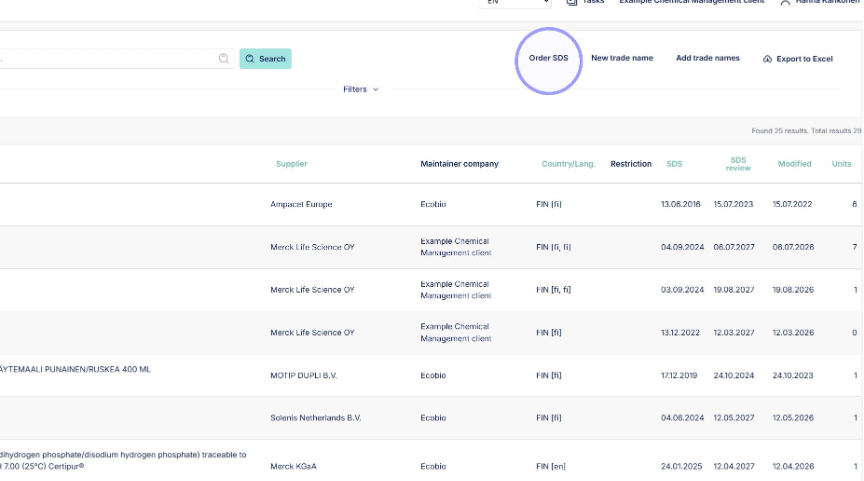
1. Click "Order SDS" to start ordering a new trade name.
2. Select units you want the trade name added to and input name and supplier from SDS file. Remember to add SDS file as attachment and send. New trade names will be added by Ecobio Manager chemical team within days.